
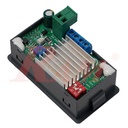
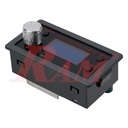
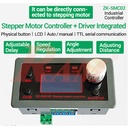
ZK-SMC02 Stepper Motor Controller + Driver (Integrated)
Stepper Motor Driver & Pulse Generator Controller Board with Manual Direction & Speed Control
Product Overview
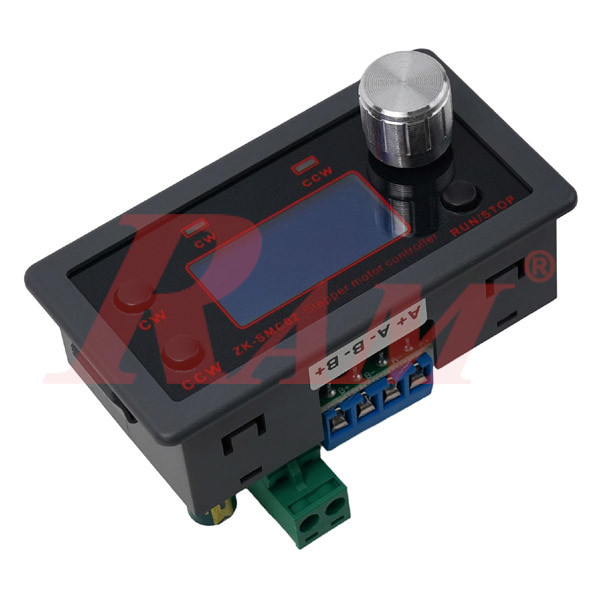
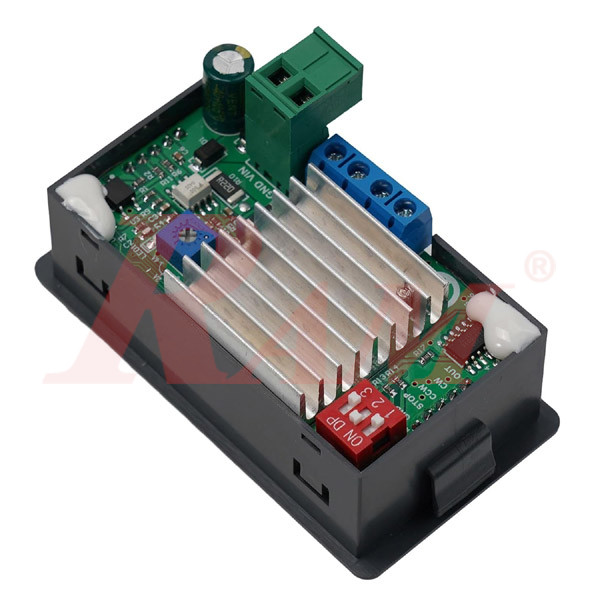
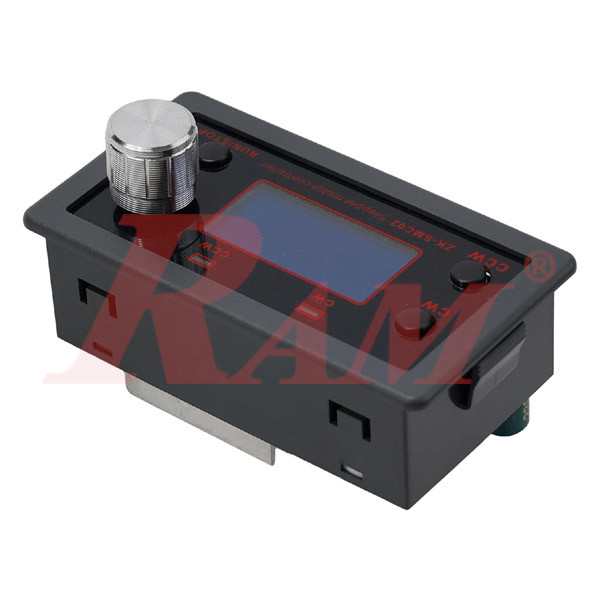
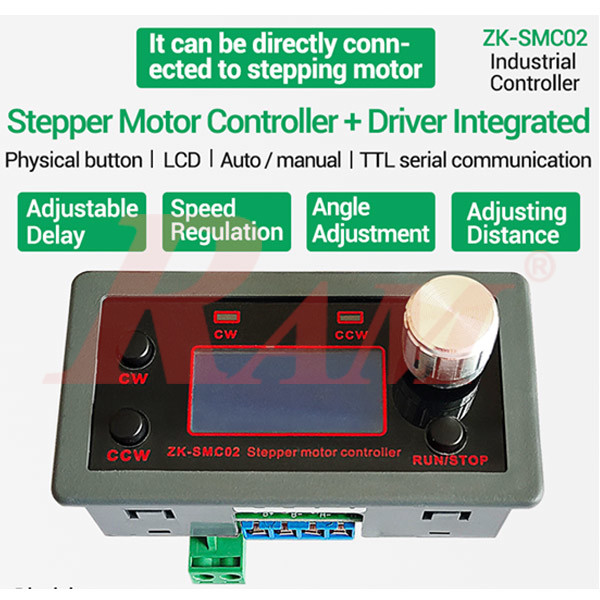
The ZK-SMC02 is an all-in-one stepper motor controller and driver designed for single-axis stepper motor control. It integrates motion control logic, pulse generation, and a high-current stepper driver in one compact module.
The controller supports manual operation, automatic operation, parameter setting, and TTL serial (MODBUS-RTU) control, and can operate independently without any external PLC or MCU. All motion parameters (distance, speed, delay, cycles, acceleration) are saved in non-volatile memory and retained after power loss.
Key Features
- Integrated stepper motor controller + driver (no external driver required)
- Single-axis motion control
- Forward / Reverse rotation control
- Manual control via front panel buttons and rotary encoder
- Automatic cycle operation with programmable distance, delay, and loops
- Acceleration & deceleration control
- Pulse-based positioning (high precision)
- Non-volatile memory (parameters saved after power-off)
- TTL serial communication (MODBUS-RTU protocol)
- Reverse polarity protection on power input
- Designed for general industrial control applications
Electrical & System Specifications
Parameter | Specification |
|---|---|
| Model | ZK-SMC02 |
| Type | Stepper Motor Controller + Driver (Integrated) |
| Control Axes | 1 (Single Axis) |
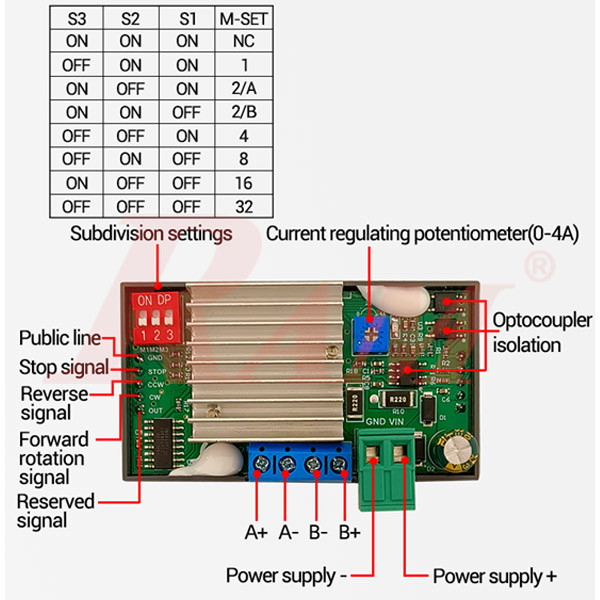
| Compatible Motors | Stepper motors (2-phase; supports 4-wire, 5-wire, 6-wire, 8-wire) |
| Motor Signal Type | Common cathode |
| Power Supply Voltage | DC 10 – 30 V |
| Maximum Drive Current | 4 A |
| Acceleration / Deceleration | Supported (adjustable) |
| Reverse Polarity Protection | Yes |
| Operating Temperature | –5 °C to +60 °C (non-condensing) |
| Application Type | General industrial control (not medical / safety-critical) |
Motion Control Parameters
Function | Range |
|---|---|
| Speed Range | 0.1 – 999 RPM |
| Forward Pulse Count | 1 – 9,999,999 pulses |
| Reverse Pulse Count | 1 – 9,999,999 pulses |
| Cycle Count | 0 – 9,999 cycles (0 = infinite loop) |
| Forward Delay Time | 0.0 – 999.9 s |
| Reverse Delay Time | 0.0 – 999.9 s |
| Microstepping (Subdivision) | 1 – 128 subdivisions |
| Acceleration Level | 1 – 100 (1 = slowest, 100 = fastest) |
Built-In Operation Modes (F-01)
The ZK-SMC02 includes 9 predefined motion flow modes, selectable via menu F-01:
- P01 – Motor follows rotary encoder (manual speed control)
- P02 – Rotate while button is pressed, stop on release
- P03 – Press once to rotate continuously, STOP to halt
- P04 – Fixed distance → delay → repeat (forward or reverse)
- P05 – Fixed distance cycles → return to zero
- P06 – Forward & reverse alternating cycles
- P07 – Rotate → release → delay → return to zero
- P08 – Time-based forward/reverse with delay and cycles
- P09 – Auto forward & reverse cycles on power-up
User Interface
Front Panel Controls
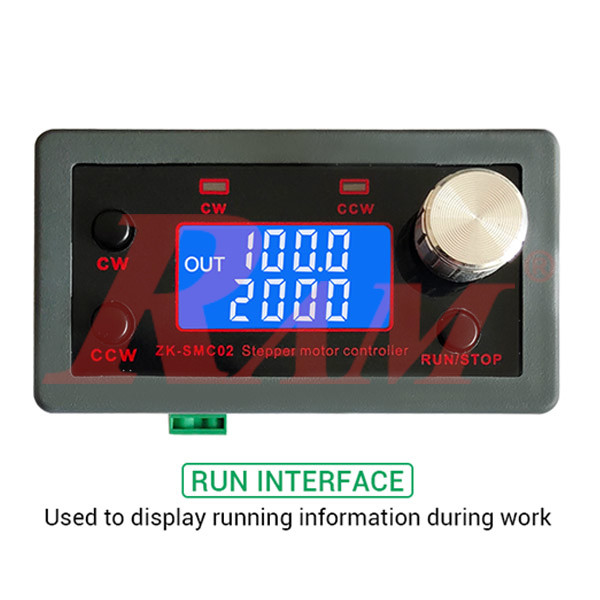
- CW button – Forward rotation
- CCW button – Reverse rotation
- RUN/STOP button – Start / pause / exit
- Rotary encoder – Speed & parameter adjustment
Display
- LCD shows speed, delay time, cycle count, and mode status
Serial Communication (TTL)
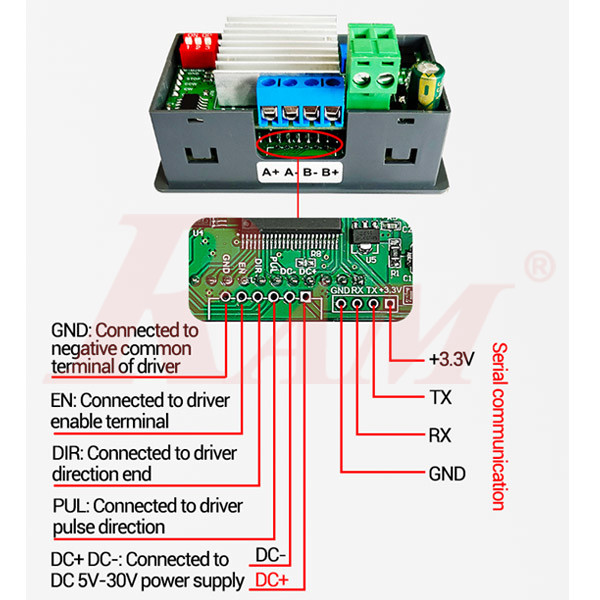
- Interface: TTL UART
- Protocol: MODBUS-RTU
- Supported Function Codes: 0x03, 0x06, 0x10
- Address Range: 1 – 255
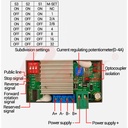
- Supports remote control, parameter read/write, and run commands
Mechanical Specifications
Parameter | Value |
|---|---|
| Front Panel Size | 79 × 43 mm |
| Depth | 41 mm |
| Net Weight | 64 g |
| Weight (with packaging) | ≈ 90 g |
Typical Applications
- Automation fixtures
- Conveyor & indexing systems
- Linear motion platforms
- Rotating tables
- DIY & educational motion control
- General industrial stepper motor control
How to Set & Program the ZK-SMC02 Stepper Motor Controller
This controller is programmed entirely from the front panel using:
- Rotary encoder (knob)
- CW / CCW buttons
- RUN/STOP button
No computer is required.
1️⃣ Power On
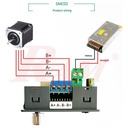
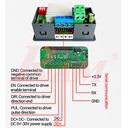
- Connect DC 10–30V power supply
- Connect stepper motor to A+, A-, B+, B-
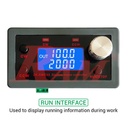
- The controller boots into the RUN (working) interface
2️⃣ Understanding the Two Interfaces
🔹 RUN Interface (Normal Operation)
Used during work:
- Shows speed, delay, or cycle count
- Knob adjusts speed
- CW / CCW buttons control direction
- RUN/STOP starts or stops motion
🔹 MENU Interface (Programming Mode)
Used to set all parameters:
- Accessed by long-pressing the rotary encoder
3️⃣ Enter Programming (MENU) Mode
- Make sure controller is stopped
- Long-press the rotary encoder
-
Display changes to:
F-01
You are now in menu setting mode
4️⃣ Select a Program (Motion Mode – F-01)
Step:
- When F-01 is shown
- Short-press the encoder
- Value starts flashing (P01 – P09)
- Rotate encoder to select mode
- Short-press encoder to confirm
Available Programs (F-01)
Mode | Description |
|---|---|
| P01 | Motor follows knob speed (manual) |
| P02 | Rotate while button is pressed |
| P03 | Press once → rotate continuously |
| P04 | Fixed distance → delay → repeat |
| P05 | Distance cycles → return to zero |
| P06 | Forward & reverse alternating |
| P07 | Rotate → release → delay → return |
| P08 | Time-based forward/reverse |
| P09 | Auto run after power-on |
5️⃣ Set Motion Parameters (F-02 to F-13)
Navigation
- Rotate encoder → select F-02 … F-13
- Short-press → edit value
- Rotate → change value
- Short-press → move to next digit
- RUN/STOP → exit parameter edit
🔧 Main Programming Parameters
F-02 – Forward Pulse Count
- Range: 1 – 9,999,999
- Sets forward movement distance
F-03 – Forward Speed
- Range: 0.1 – 999 RPM
F-04 – Reverse Pulse Count
- Range: 1 – 9,999,999
F-05 – Reverse Speed
- Range: 0.1 – 999 RPM
F-06 – Cycle Count
- 0 = infinite loop
- 1–9999 = fixed cycles
F-07 – Forward Delay Time
- 0.0 – 999.9 seconds
F-08 – Reverse Delay Time
- 0.0 – 999.9 seconds
F-09 – Pulses Per Revolution
Used to match motor + microstepping
Example:
- 1.8° motor
-
8 microsteps
→ 1600 pulses / rev
→ set F-09 = 160
F-10 – Display Mode
- 00 → speed + delay
- 01 → speed + cycle count
F-11 – Stop Mode
- 0 → smooth deceleration stop
- 1 → immediate stop (emergency)
F-12 – Acceleration Level
- 1 (slow) → 100 (fast)
F-13 – Serial Address
- 1 – 255 (used for TTL MODBUS)
6️⃣ Save Settings
- After finishing all parameters
- Long-press the rotary encoder
-
Controller:
- Saves settings
- Returns to RUN interface
⚠️ If you power off before long-press, settings will NOT be saved.
7️⃣ Start the Program
- Press CW → forward operation
- Press CCW → reverse operation
- Press RUN/STOP → pause / stop
Controller executes the selected F-01 program using your parameters.
8️⃣ Example: Simple Auto Forward & Reverse Loop
Goal:
- Forward 1600 pulses
- Delay 1 sec
- Reverse 1600 pulses
- Repeat forever
Settings:
F-01 = P06
F-02 = 1600
F-03 = 100 RPM
F-04 = 1600
F-05 = 100 RPM
F-06 = 0
F-07 = 1.0
F-08 = 1.0
Save → RUN → Press CW
✅ Programming Summary (Quick)
- Power ON
- Long-press knob → MENU
- Set F-01 program
- Set distance, speed, delay, cycles
- Long-press knob → SAVE
- RUN